Server management usually requires lots of time and effort, not to mention other network devices that IT administrators have to deal with in daily routines. Therefore, a well designed server management tool that helps increase efficiency is especially desirable.
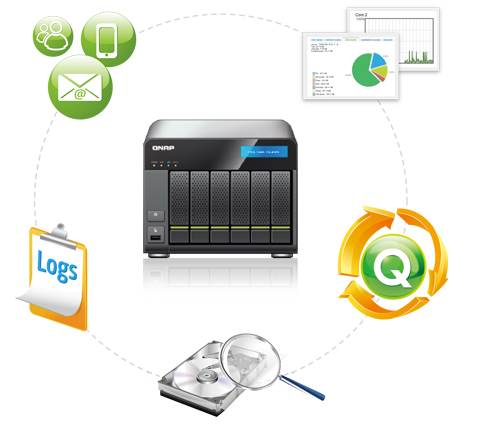
QNAP Turbo NAS makes server management so easy. The user-friendly graphic interface introduces intuitive system management done with a web browser without IT expertise required. A variety of management tools are provided to support IT administrators’ comprehensive needs, such as one-time system initial setup, instant alert notifications on system warnings or errors, informative system logs and resource monitoring, and handy system migration options.
Alert Notification:
- Instant alert notification by email, SMS, and Windows® Live Messenger
- Interactive query via Windows® Live Messenger
- Deploy-and-forget system alert management
Instant alert notification
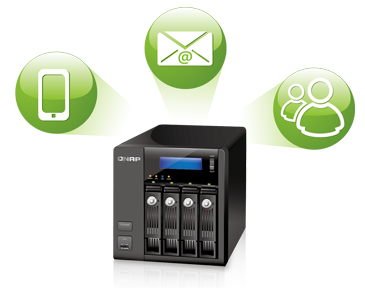
The Turbo NAS supports email, SMS and Windows® Live Messenger alerts to inform IT administrators about system error, warning, and alert events. Two email addresses can also be specified to receive the latest system information. Instant system alerts can be sent to maximum two mobile phone numbers worldwide via SMS. Instant notification via Windows® Live Messenger is also supported. Alert message will show up on the Windows® Live Messenger screen when critical events occur. In combination of the mobile devices, Windows® Live Messenger alert carries out the same function as an instant SMS.
All these helpful alert notifications enable IT administrators to take full control of the most recent status of the Turbo NAS and take immediate actions to troubleshoot in time, minimizing down time caused by unexpected failures.
Interactive query
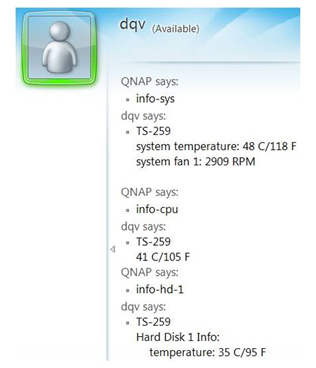
Wouldn’t it be cool if you could type in a short command to instantly obtain the Turbo NAS system information, such as CPU and system temperatures, hard drive and volume information, and fan speed, etc? By sending the text “help” to the Windows® Live Messenger account configured in the Turbo NAS, the IT administrator gets a list of supported commands for system status query.
Resource Monitor:
- Clear graphical interface
- Instant system status overview
System status at a glance
A graphical interface is presented for IT administrators to easily monitor the information of the Turbo NAS, such as CPU usage, memory usage, disk usage, bandwidth usage, system health, hard disk health, and so on. IT administrators can quickly grasp the first hand system information in a timely manner.

Comprehensive Log System:
- Useful system event logs and system connection logs
- Online user list benefits access control
- Conveniently collects logs from other network devices by Syslog Server support
Comprehensive log system
The Turbo NAS assists IT administrators in effective system tracking by providing web-based display logs: system event logs and system connection logs. An online user list is also provided for useful access control.
The web-based log system provides a clear and detailed overview for IT administrators to track important system activities. The system event logs keep IT administrators aware of the information, warning, and error events of the Turbo NAS. The system connection logs enable IT administrators to view the access history of each file (who, when, and what actions were done) easily, which can be exported as an Excel (CSV) file for further analyzing and filing on the PC. Both logs support manual log filtering and advanced filtering via a wizard for quicker data grasping. In addition, the offering of an online user list helps the monitoring of user access as the IT administrators also play an important role in system gatekeeper and guardian for security. When a suspicious connection is found, IT administrators can right click on the user to immediately add it to the block list or the disconnect list.
Centralized monitoring by Syslog Server
A central repository of log data from various network devices allows efficient management and security auditing in businesses. The Syslog server supporting UDP and TCP protocols enables IT administrators to easily collect and store logs from other network devices in the Turbo NAS, improving efficiency on management and troubleshooting when necessary. Advanced filters and e-mail notifications are provided to help quickly identify failures or security threats.
In addition to playing the role as a server for collecting logs from other devices, the Turbo NAS can also act as a client to send its own logs to the Syslog server.

Hard Disk Status Check:
- HDD S.M.A.R.T. check
- HDD back block scanning
Quick HDD health check
The Turbo NAS provides a clear view to display the S.M.A.R.T. (Self-Monitoring Analysis and Reporting Technology) values of each installed hard disk in the Turbo NAS with a summary of each disk’s health status. IT administrators can take early actions when any of the S.M.A.R.T. values are reported as abnormal, thus prevent data loss caused by physical hard disk failure.
IT administrators can choose “Rapid Test” or “Complete Test” mode to perform S.M.A.R.T. test, or create schedules to run instant, daily, weekly, or monthly S.M.A.R.T. test.
HDD bad block scanning
In addition to HDD S.M.A.R.T. check, the Turbo NAS supports bad block scanning, allowing IT administrators to replace hard drives having bad blocks with healthy ones in early stages.

Network UPS:
- Save cost of purchasing additional UPS
- Protect multiple NAS servers
- Supports USB/SNMP standalone UPS mode
Centralized notification for abnormal power supply
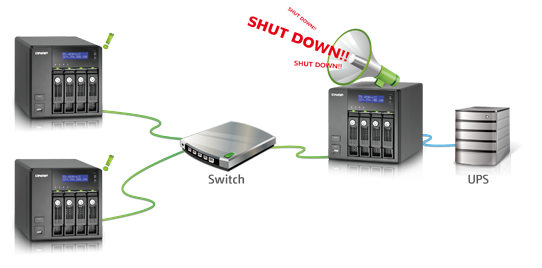
With this network UPS support, multiple Turbo NAS servers on the same TCP/IP network can be protected by a single UPS. The network UPS “master” is connected to the UPS via USB cable. Upon abnormal power failure, the UPS sends notification to the network UPS “master” via USB interface, and all the UPS “slaves” are informed by the UPS master via Ethernet. This ensures all Turbo NAS servers are properly shutdown when power fails.
In addition to protect multiple servers with network UPS deployment, IT administrators can also configure the Turbo NAS by using USB/SNMP standalone UPS mode.
Live Update:
- Automatically detects firmware update
- Simple and convenient
QNAP continuously provides firmware updates with new feature enhancements and bug fixes. With live update, the Turbo NAS automatically detects the available firmware on the Internet for IT administrators to download and update the system in a just few clicks.

TFTP Server:
- Easy to configure
- Allows restricting client access by IP range
Easy configuration deployment
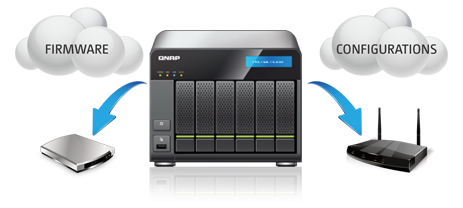
TFTP (Trivial File Transfer Protocol) is a file transfer protocol known for its simplicity. QNAP TFTP server with PXE booting provides an easy-to-use method to turn the Turbo NAS to a TFTP server for firmware upgrades, deployment or backup of configurations from various network devices such as routers and switches, and supports remote network booting of computers for system imaging or recovery.
Telnet/SSH:
Secure remote management
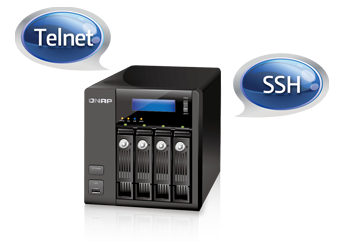
IT administrators can remotely access the Turbo NAS via Telnet or the encrypted Secure Shell (SSH); and execute commands for advanced programming or troubleshooting.
Easy System Migration:
- System upgrade to new models without hassles
- Data is kept intact during migration
- Easy to maintain
Quick and easy
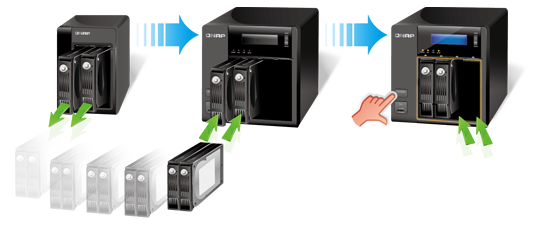
The Turbo NAS makes system migration incredibly simple. For a system upgrade of the Turbo NAS to a newer model, just move the hard disks from the original Turbo NAS to the new one in its original hard disk tray order, and it’s done. All the data will be retained without disk initialization or configuration required.