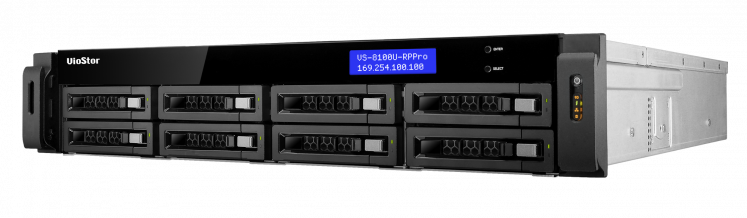
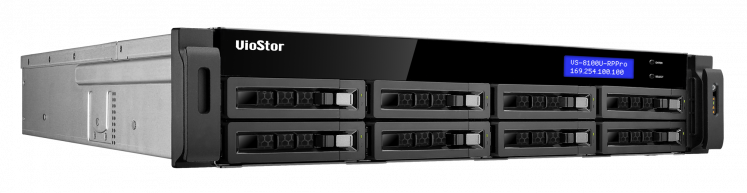
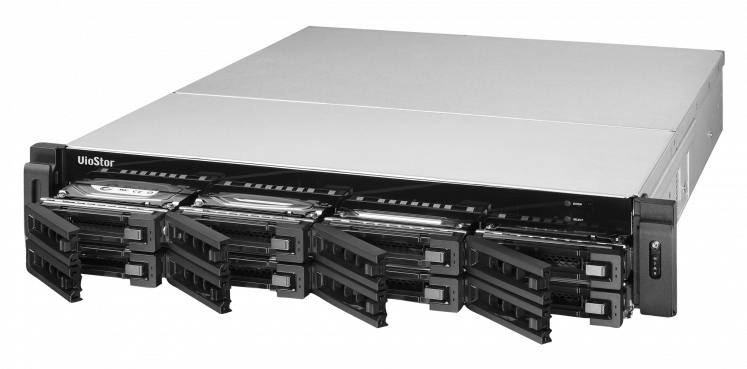
Overview:
Package Content
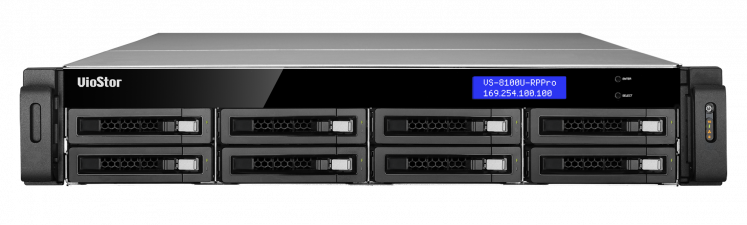
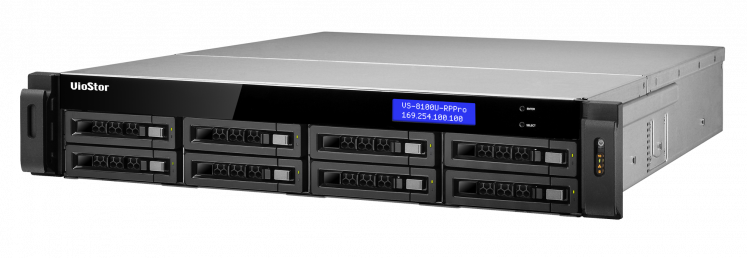
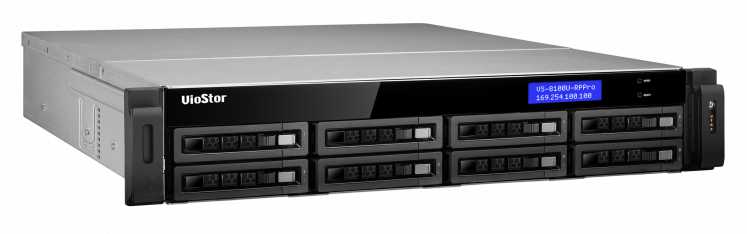
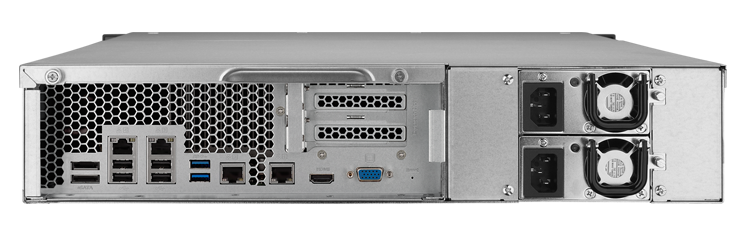
- QNAP VS-8132U-RP Pro+ 24-Channel 8-Bay 2U VioStor NVR
- CD-ROM
- 4 x Ethernet Cable
- 2 x Power Cord
- 32 x Flat Head Screw for 3.5" HDD
- 32 x Flat Head Screw for 2.5" HDD
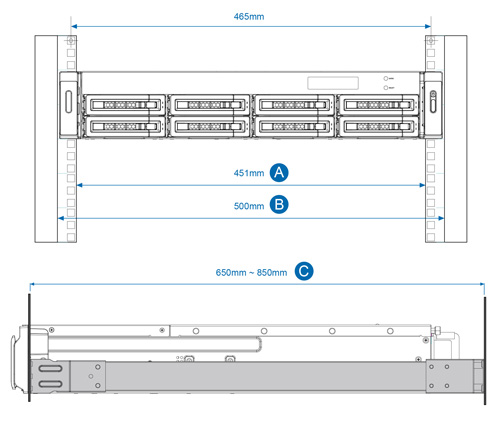
- SP-X79U-RAIL-KIT 2U Rail Kit
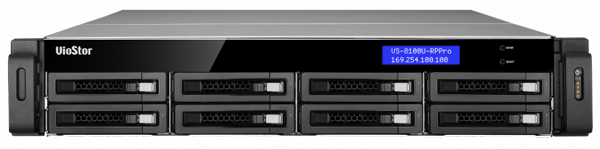
The QNAP VS-8132U-RP Pro+ VioStor NVR (Network Video Recorder) is the high-end 2U chassis network surveillance server which supports high quality real-time video/audio monitoring, megapixel recording (up to 10-megapixel), and playback of multiple IP cameras. The VioStor VS-8132U-RP Pro+ can simultaneously handle inputs from up to 32 megapixel cameras. Featuring a powerful dual-core Intel® Core™ i3 processor and 4 GB of DDR3 memory, this enterprise-grade NVR delivers high performance with throughput of 400 Mbps for recording and smooth playback of multiple megapixel cameras. Moreover, the HDMI output and hardware decoder of VS-8132U-RP Pro+ provide the ability to deliver up to 300fps Full HD local display.
In addition, when installing with the currently largest 4TB hard drives in the market, the VioStor VS-8132U-RP Pro+ supports up to 32 TB storage capacity, which makes it proficient for continuous recording of high-resolution video.
The Linux-based VioStor VS-8132U-RP Pro+ enables quick and easy deployment of multiple NVRs. It is designed with the user in mind, offering simple and intuitive setup in six steps. Coupled with powerful performance and stability, this solution is tailor-made for enterprise surveillance needs.
Why QNAP NVR?
QNAP VioStor NVR (Network Video Recorder) is designed for high quality
megapixel recording, and high performance real-time monitoring. It is a
reliable standalone NVR with powerful surveillance features and mass storage
capacity. Based on Linux OS, the NVR supports H.264, MPEG-4, M-JPEG
and MxPEG recording from over 1,100 network camera models from popular
brands. With QNAP's unique multi-server monitoring feature, multiple VioStor
NVRs can be cascaded together for central monitoring of up to 128 channels
of video surveillance. The VioStor NVR is an ideal solution for small, medium,
and large facilities that integrate IP cameras, advanced intelligent video
analytics and RAID storage technologies to help companies provide a safe
environment for employees and protect company assets.
- Supports a Broad Range of IP Cameras
The VioStor NVR supports H.264, MPEG-4, M-JPEG, and MxPEG
recording from over 1,000 network camera models of many popular
brands.
- PC-less Network Surveillance by HD Local Display
The VioStor NVR supports PC-less system configuration, monitoring
of IP cameras over the network, and video playback by a monitor or
high-definiton TV, a USB mouse, and a USB keyboard.
- Multi-server Monitoring
You can connect to the VioStor NVR and add other QNAP NVR
servers to monitor up to 128 channels on a PC over LAN or WAN.
- Intelligent Video Analytics (IVA) for Fast Video Retrieval
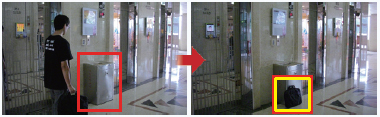
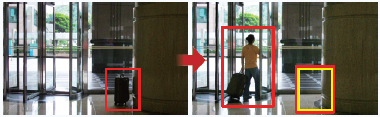
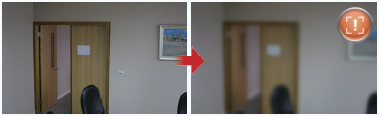
The VioStor NVR supports intelligent video analytics (IVA), such as
motion detection, missing object, foreign object, out of focus, and
camera occlusion to provide fast video retrieval.
- Advanced Event Management
The compatibility between the NVR and the surveillance devices are
strengthened to provide more event handling options when events
are detected or alarms are triggered on the IP cameras.
- Live View on Mobile Devices by VMobile
With VMobile installed on your Android phone, iPad, iPhone, iPod
touch, or Windows PDA phone, you can monitor your home and
office and receive instant event alert anytime, anywhere.
- RAID Data Protection
The VioStor NVR supports RAID 1, 5, 6, 5+hot spare, 6+hot spare
to protect the recording data against hard drive failure. Single disk,
JBOD, and RAID 0 are also offered**.
- Convenient Video Backup to External USB Storage
You can press the one-touch-auto-video-backup button on the front
of the NVR to copy the data from the NVR to an external storage
device.
- Linux-embedded System
The VioStor NVR is a Linux-embedded system which is more powersaving
and less vulnerable to virus attack compared to PC-based
surveillance solutions.
QNAP Unique Utilities
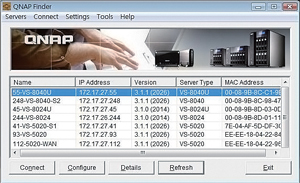
QNAP Finder
The QNAP Finder is a value-added
utility developed to help you quickly
search all the VioStor NVR servers
and all major brands of IP-based
cameras and network video servers. |

VioStor Player
The VioStor Player allows you to
play the recording files on your
Windows computer or the VioStor
NVR servers. |
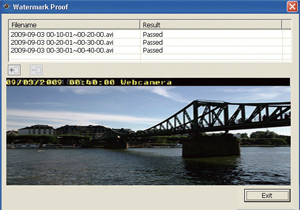
Watermark Proof
(Installed with VioStor Player)
You can select to add digital
watermark on the exported videos
and snapshots. The Watermark
Proof allows you to check if the
exported files were modified. |

V-Mobile
(for Windows PDA Phone, iPad, iPhone, iPod)
The V-Mobile is a mobile video surveillance utility for
you to monitor the network cameras on the VioStor
NVR. With V-Mobile installed on Windows PDA
phone, iPad, iPhone, and iPod, you can monitor your
home and office, check the safety of the children at
home and be alerted by the intrusion alarm anytime,
anywhere. |
* For VioStor Pro series NVR only. ** The RAID levels supported depend on the number of hard drives installed.
Key Features:
Complete Recording Functions
| High Quality H.264, MPEG-4, M-JPEG and MxPEG Recordings (depending on the camera models) |
 |
All-in-one Recording Functions
- Continuous/manual/scheduled recording *
- Alarm recording (by multiple events), alarm recording schedule *
- Pre-alarm and post-alarm recording
- Audio recording
- Auto snapshots
* Different recording schedules for the IP cameras.
|
 |
Megapixel Recordings
The VioStor NVR supports megapixel recordings (up to 10-megapixel) from various IP cameras. |
 |
Multi-stream support
Administrators now can flexibly define multiple video streams (supported by specific camera models) according to bandwidth resources and number of live-view channels. The adjustable video stream setting helps improve the displaying quality of live-view and well manage the bandwidth resources based on different usage requirements.
Smart Recording
The VioStor NVR automatically selects video streams from IP cameras for different recording scenarios. In normal situation, video recording maintains at lower quality resolution. While the alarm event happens, video recording switches to high quality resolution to capture more details. In other words, smart recording effectively avoids the constant storage consumption at all time, but achieves greater storage efficiency and boost recording quality when alarm events happen.
Real-time Digital Watermarking
The VioStor NVR supports real-time digital watermarking to protect the videos and snapshots from unauthorized modifications. The Watermark Proof utility is provided to verify whether or not the videos and snapshots are original. |
 |
Network Surveillance with Full HD 1080P Local Display
Diversified Modes for Local Monitoring
- 1, 4, 6, 8, 9, 10, 12, or 16-channel display modes
- Sequential display mode
|
 |
High Resolution Local Display
The VioStor NVR provides an HDMI port which can be connected to an HDMI monitor or TV for doing monitoring in the full HD (1920 x 1080) resolution.
Convenient Control of PTZ and Speed Dome Cameras
The PTZ (Pan/Tilt/Zoom) cameras can be adjusted directly and the preset positions of the IP cameras can be viewed on the local display interface of the VioStor NVR.
Digital Zoom
Digital zoom (in/out) of the video image is supported on the monitoring and playback interfaces of the NVR.
On-screen Event Alert
When an event occurs, an alert icon will be shown instantly on the local monitoring page. The alert details can be viewed by clicking the alert icon
Video Search
The VioStor NVR supports convenient video search by date and time on the local playback interface.
Local Video Playbacks on HDMI Monitors or TVs
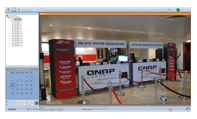
The VioStor NVR supports direct video playbacks on HDMI monitors or TVs. |
 |
Quick System Setup
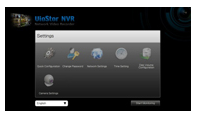
The VioStor NVR can be set up in simple steps on the local display interface. |
 |
Network Surveillance by Web-based Interface to Perform
Real-time Remote Monitoring
Cross-platform Support
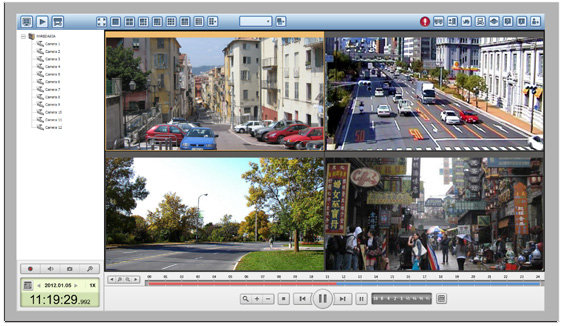
Use QNAP Surveillance Client for Windows and Mac to watch the live view and play back the recording files on the VioStor NVR.
Cross-browser Compatibility
On the Windows PC, you can also use Google Chrome, Microsoft Internet Explorer, or Mozilla Firefox to enjoy our surveillance features.
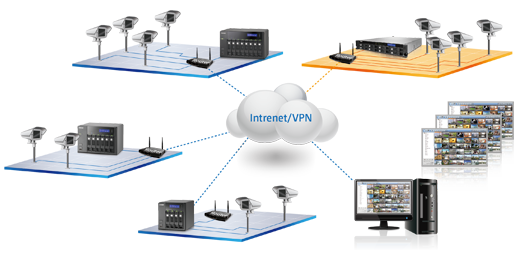
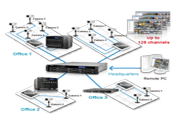
Multi-server Monitoring
Connect to one VioStor NVR and monitor up to 128 channels from other VioStor NVR servers over the LAN or WAN via an IE browser.
Note: The feature is supported by Google Chrome, Microsoft Internet Explorer, and Mozilla Firefox |
 |
Diversified Remote Monitoring Modes
- 1, 4, 6, 8, 9, 10, 12, 16, 20, 25, 36, 42, 64-channel, and sequential display modes
- Dual-display mode
|
 |
Smart Control of PTZ & Speed Dome Cameras
The PTZ (Pan/Tilt/Zoom) cameras can be directly adjusted by the web user interface of the VioStor NVR. |
 |
Preset Position Control and Auto Cruising
The preset positions of an IP camera can be viewed by clicking the corresponding number buttons on the monitoring page. The time interval can also be configured on the PTZ cameras to perform periodic monitoring. |
 |
Instant Event Notification
When the alarm recording is enabled and an event occurs, an alarm icon will be shown instantly on the monitoring page. The alert details can be viewed by clicking the icon. |
 |
Digital Zoom
Digital zoom (in/out) of the video image is supported on the monitoring and playback interfaces. |
 |
Dynamic E-map
The VioStor NVR provides the E-map function for users to upload the digital maps and indicate the locations of the IP cameras of a monitoring location or region. |
 |
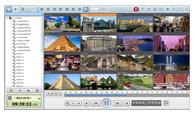 Remote Video Playback
Multi-view Playback
Use the multi-view playback feature to divide a video equally into multiple sessions for doing playback in a multi-view window, or play the videos of multiple IP cameras in the multi-view window simultaneously.
Video Search by Date and Time, Timeline, Event, Intelligent Video Analytics (IVA)
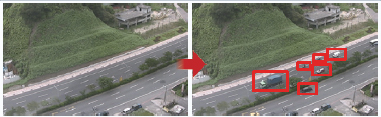
The VioStor NVR supports quick video search by date and time, timeline, event, and intelligent video analytics (IVA), which includes motion detection, foreign object, missing object, out of focus, and camera occlusion.
Event Management
Advanced Event Management
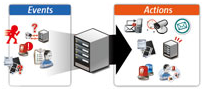
VioStor NVR supports various event handling options for different kinds of events.
- Events: Motion detection, alarm input, connection failure, recording failure, and user-defined event.
- Actions: Video recording, email alert, SMS alert, buzzer, PTZ camera control, alarm output, and user-defined action.
|
 |
 Real-time SMS and Email Alert
Configure the SMTP server and SMSC server settings on the NVR in order to receive instant system warnings or error messages by email and/or SMS
Convenient Backup Solution
Storage Expansion
VioStor NVR provides surveillance storage expansion solution which enables users to leverage the Turbo NAS storage capacity. By installing the StorageExpansion QPKG in the Turbo NAS, administrators can connect the VioStor NVR with the Turbo NAS to flexibly enlarge the total surveillance storage.
Scheduled Remote Replication
The VioStor NVR supports scheduled remote replication for performing secure data backup to a remote QNAP NAS on the local network.
One Touch Auto Video Backup
Configure the one touch auto video backup button at the front of the NVR to copy the data from the NVR to an external storage device when the button is pressed.
Excellent Hardware Design
Intel® CPU and DDRIII Memory for Superior System Performance
Powered by the Intel® CPU and DDRIII memory, the VioStor NVR delivers superior performance for surveillance applications.
Linux Embedded System
The Linux-based VioStor NVR is more power-saving and less vulnerable to virus attacks compared to the PC-based surveillance solution.
Huge Storage Capacity for Long-term Recordings
The VioStor NVR supports RAID 0, 1, 5, 6, 5+hot spare, single, and JBOD disk configurations. Its hot-swap design allows a failed drive of a disk volume (RAID 1 or above) to be replaced by hot swapping without turning off the server.
 Mobile Surveillance by VMobile
Use the VMobile network surveillance application on Android phone, Android Tablet, iPhone, iPad, or iPod touch to easily access video management functions Multi-view Playback
Use the multi-view playback feature such as remote live view and playback recordings. In addition, the account on the VioStor NVR can be used to connect to an unlimited number of NVRs and IP cameras by VMobile through Wi-Fi, 3G, or 4G networks.
Camera function
Fisheye Dewarping
The fisheye dewarping function, available on the web and local display interface for specific fisheye cameras and specific cameras with panomorph lens, assists in doing practical surveillance management, allowing the administrators to view the monitoring area in a clearer shape.
Security Control
High Reliability and Smart Features
Advanced RAID with Hot-swap Design
The VioStor NVR supports RAID 0, 1, 5, 6, 5+hot spare, single, 6+hot spare and JBOD disk configurations. Its hot-swap design allows a failed drive of a disk volume (RAID 1 or above) to be replaced by hot swapping without turning off the server.
Online RAID Capacity Expansion and Online RAID Level Migration
- Online RAID Capacity Expansion
The storage capacity of a RAID configuration can be expanded by replacing the hard drives with larger ones. All the data will be kept and seamlessly moved to the newly installed hard drives. There is no need to turn off the server during the process.
|
 |
- Online RAID Level Migration
Upgrade the disk configuration to a higher RAID level with the data retained without turning off the server.
|
 |
S.M.A.R.T. & Advanced HDD Health Scanning (HHS)
S.M.A.R.T. (Self-Monitoring Analysis and Reporting Technology) helps monitor the hard disk drives status. The VioStor NVR supports HHS (HDD Health Scan) for doing disk checking and bad blocks scanning. |
 |
Automatic System Startup after Power Recovery
The VioStor NVR supports automatic system startup after a power recovery. |
 |
UPS Support for 24/7 Service
The VioStor NVR supports APC, CyberPower, MGE, and YEC UPS devices to provide continuous services 24/7 against unexpected power outages. |
 |
DOM Architecture with Embedded Fail-safe Dual OS for Enhanced Reliability
All the OS and applications of the VioStor NVR are embedded in the DOM. The VioStor NVR allows system booting without accessing the physical disk sectors to prevent from unsuccessful system startup caused by bad blocks or file errors on the hard drives. Two operating systems are built on the DOM to boot the system alternatively upon every system startup. When one fails, the other one can be used for system startup and the failed OS is recoverable from the other healthy OS.
Network Services
Dual Gig abit LAN Ports
- Failover
This mode allows the VioStor NVR to sustain the failure of one network port to provide continuous services.
- Load Balancing
This mode provides bandwidth aggregation to boost the file transfer speed (works with managed Ethernet switch with 802.3ad configured).
- Multi-IP Settings
Two IP settings can be configured on the NVR to allow network access from two different subnets.
Built-in DDNS Service
The VioStor NVR supports dynamic DNS (DDNS) for convenient access to the system by a domain name instead of a lengthy IP address.
Built-in NTP Server
This feature allows the connected IP cameras to synchronize their date and time settings with the NVR.
Convenient Data Access
The video data on the VioStor NVR can be accessed via the following protocols with proper access rights:
- SMB/CIFS (Windows).
- HTTP (Web file management)
- FTP
Easy Configuration and Management
System Setup in Simple Steps
The NVR can be set up in 6 simple steps via the local display or web-based interface (Internet Explorer).
Web-based User Interface
All the system configurations, monitoring, and playback features of the NVR can be managed by the web-based interface.
Smart Search of IP Cameras for Quick Settings
QNAP provides an intelligent software utility, Finder, to search for IP cameras and configure the system settings on the local network quickly.
Advanced Event Management:
Advanced event management can be divided into two parts:

Events
The VioStor NVR supports different event types, including motion detection,
alarm input, connection failure, recording failure, and user-defined event to
trigger follow-up actions.
 |
Motion Detection
When the IP camera detects any movement, the defined
actions will be activated. |
 |
Alarm Input
When the VioStor NVR receives a signal from the IP camera's
alarm input, the defined actions will be activated. |
 |
Connection Failure
When the VioStor NVR fails to connect to the IP camera, the
defined actions will be triggered. |
 |
Recording Failure
When the VioStor NVR fails to record video due to hard drive
failure or system crash, the defined actions will be triggered. |
 |
User-defined Event*
The VioStor NVR supports user-defined events. The
administrator can enter the CGI command in the browser to
trigger the event, and the defined actions will be activated. |
Actions
The NVR supports different actions when an event is triggered. These actions
include multi-channel recording, adjusting the PTZ camera to the preset position,
alarm output, built-in buzzer, email & SMS alert, and user-defined action.
 |
Recording
When an event is triggered, the VioStor NVR starts recording
one or more channels at the same time. |
 |
Camera Control
When an event occurs, the PTZ camera will be adjusted to
the specified preset position for monitoring and recording. Use
HTTP URL to activate further actions. |
 |
Alarm Output
When an event occurs, the alarm output from the IP cameras
will trigger other alert systems, such as lighting system, auto
phone dialing system, security system and so on**. |
 |
SMS
The VioStor NVR sends an SMS message to inform the
specified recipients when an event occurs. |
 |
Email
When an event occurs, the VioStor NVR sends an email with
snapshot to notify the specified recipients. |
 |
Buzzer
The buzzer of the VioStor NVR will sound when an event
occurs. |
 |
User-defined Action
The VioStor NVR supports user-defined actions. Enter
the HTTP URL from other surveillance systems. When an
alert occurs, the NVR will activate other systems, such as
extinguishing system, electronic control system, and air
conditioning control system. |
* The administrator can enter the following URL in the browser to trigger the event: http://NVR IP/cgi-bin/logical_input.cgi?name=User-defined Event Name ** The VioStor NVR supports the alarm output of AXIS, Panasonic, SONY, ACTi, and VIVOTEK camera models.
Solutions:
QNAP Network Attached Storage (NAS) Solution for Surveillance Applications
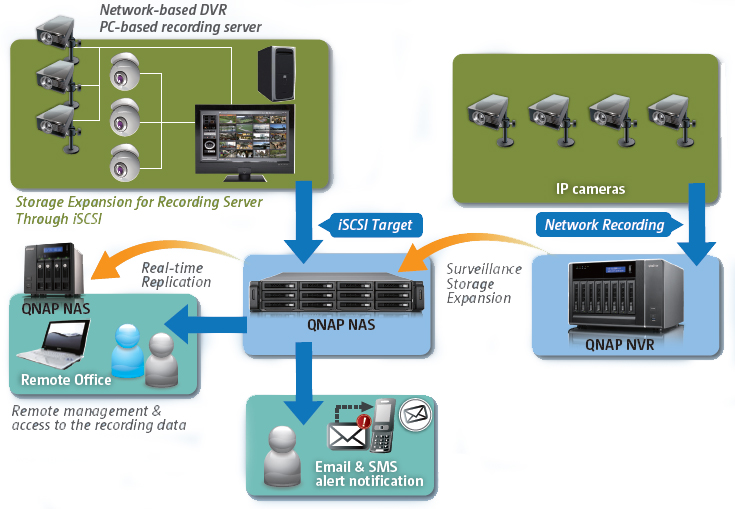
High Capacity, Reliability, and Availability Storage Solutions for Video Recording
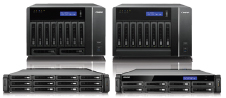
Turbo NAS Series for Recording Storage Expansion
- 2, 4, 5, 6, 8, and 10 drive tower models and 4-bay 1U, 8-bay
2U, 12-bay 2U rackmountmodels
- Secure, reliable, scalable iSCSI and
virtualization deployment with high
capability/price value
|
 System Management Tools System Management Tools
- Comprehensive event logs
- Email, SMS, and Instant Messaging alert
- SNMP (Simple Network Management Protocol)
- S.M.A.R.T. & Advanced Hard Drive Health Scan (HHS)
- Touch-N-Go PC-less installation
- Scheduled power on/off
- Wake on LAN
|
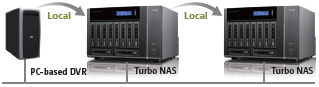
Local Backup
- Storage expansion for PC-based DVR
- Video backup from a NAS to another NAS on the local network
- Real-time or scheduled
data backup
|
 High Reliability and Smart Features High Reliability and Smart Features
- RAID 0, 1, 5, 6, 10, 5+hot spare, 6+hot spare, 1 0+hot spare,
JBOD
- Online RAID capacity expansion & online RAID level migration
- Dual Gigabit LAN for network fail-over or load-balancing
- Redundant Power Supply (for rackmount models)
- Linux-embedded DOM-based architecture
|
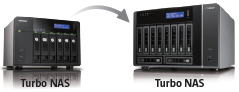
Remote Replication
- Real-time Remote Replication (RTRR) provides real-time or
scheduled data replicationbackup to a remote QNAP NAS, an
FTP server, or an external drive
- Remote replication to an rsync server
- Encrypted Remote Replication by Rsync
|
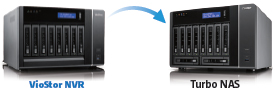
Storage Expansion for Video Recording
- iSCSI target for storage expansion of video recording serve
- Real-time remote replication to back up new and modified
files immediately to a remote NAS
- Surveillance storage expansion
onto multiple Turbo NAS servers
|
Central Management System
Manage and monitor up to 128 IP cameras centrally on a single Turbo NAS by connecting multiple Turbo NAS units to minimize management efforts.
Manage large-scale cameras
By connecting multiple Turbo NAS units, you can manage, monitor and play back up to 128 IP cameras managed by the Turbo NAS at the same time from a single unit. This scalability provides greater flexibility for deploying a smaller surveillance system in the beginning and expanding the surveillance scale in the future when needed.